Four numbers per product, and the story behind them
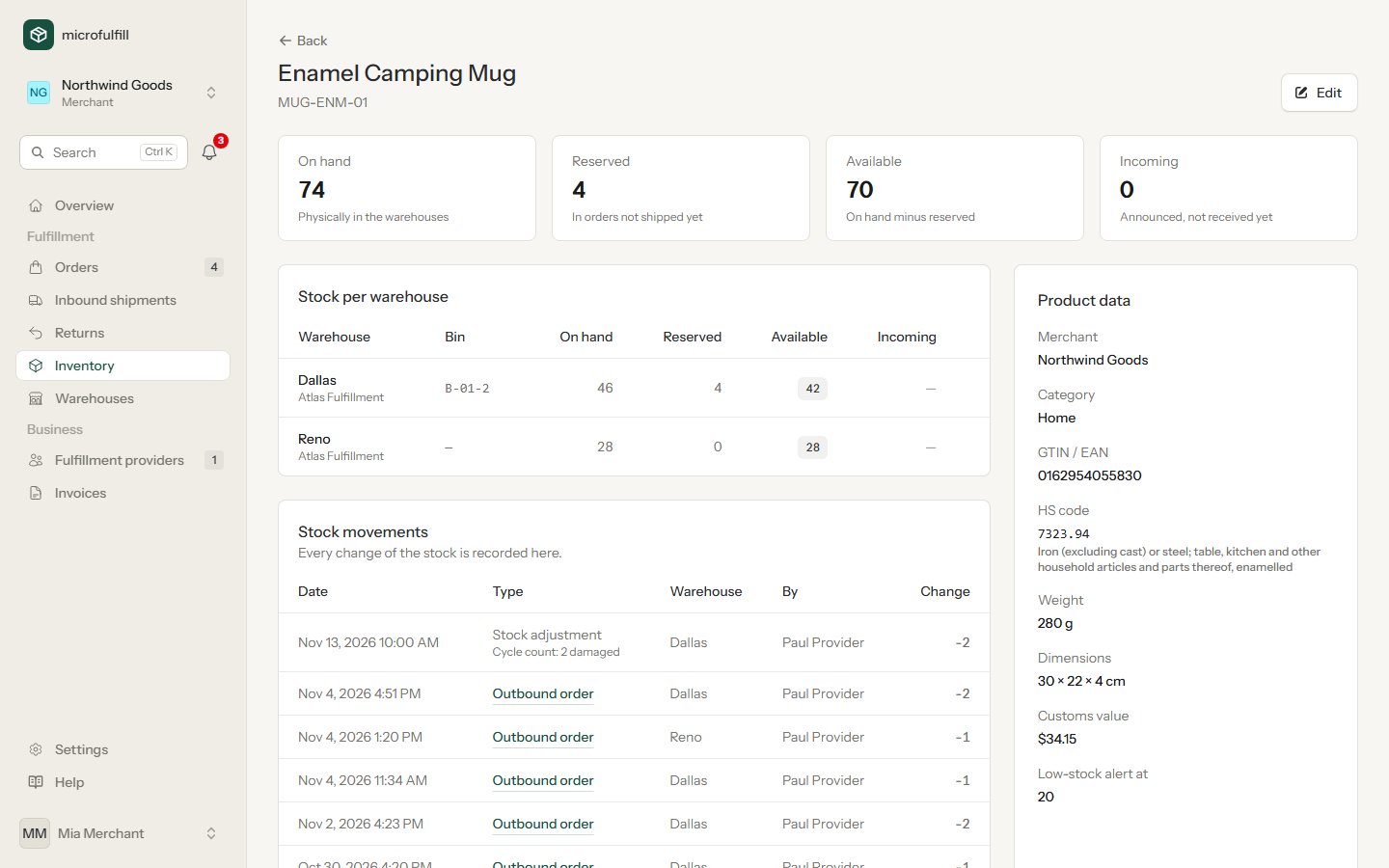
On hand, reserved, available and incoming, for every warehouse. Underneath, every movement that led to those numbers, with date and person.
microfulfill is where online shops and 3PL warehouses work on the same stock, the same orders and the same invoice. Nothing is sent back and forth as a spreadsheet.
Keep one inventory across all your fulfillment providers and send each order to the warehouse that should ship it.
What merchants get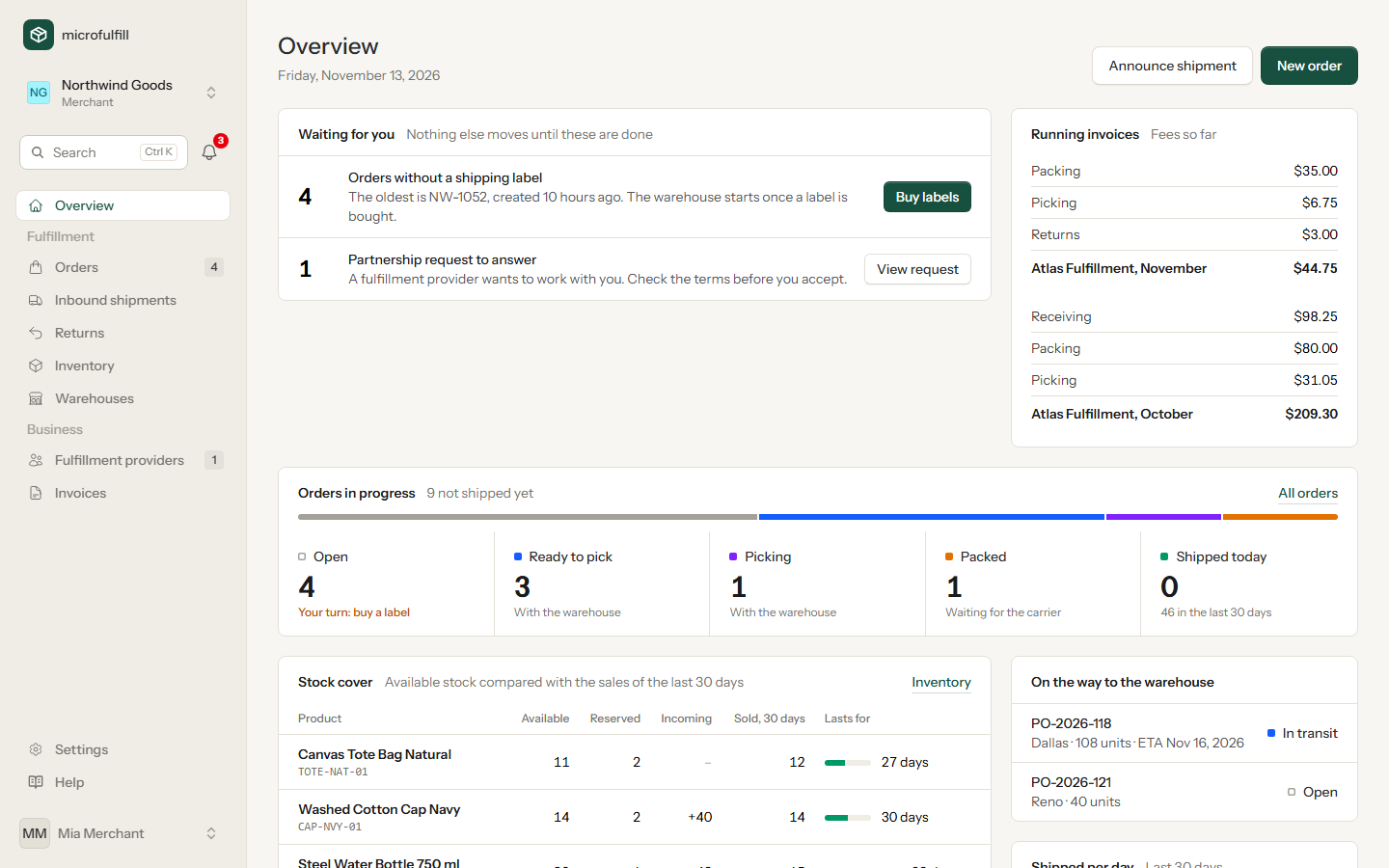
Receive, pick, pack and ship for all your merchants from one list, and let the monthly invoices fill themselves in.
What providers get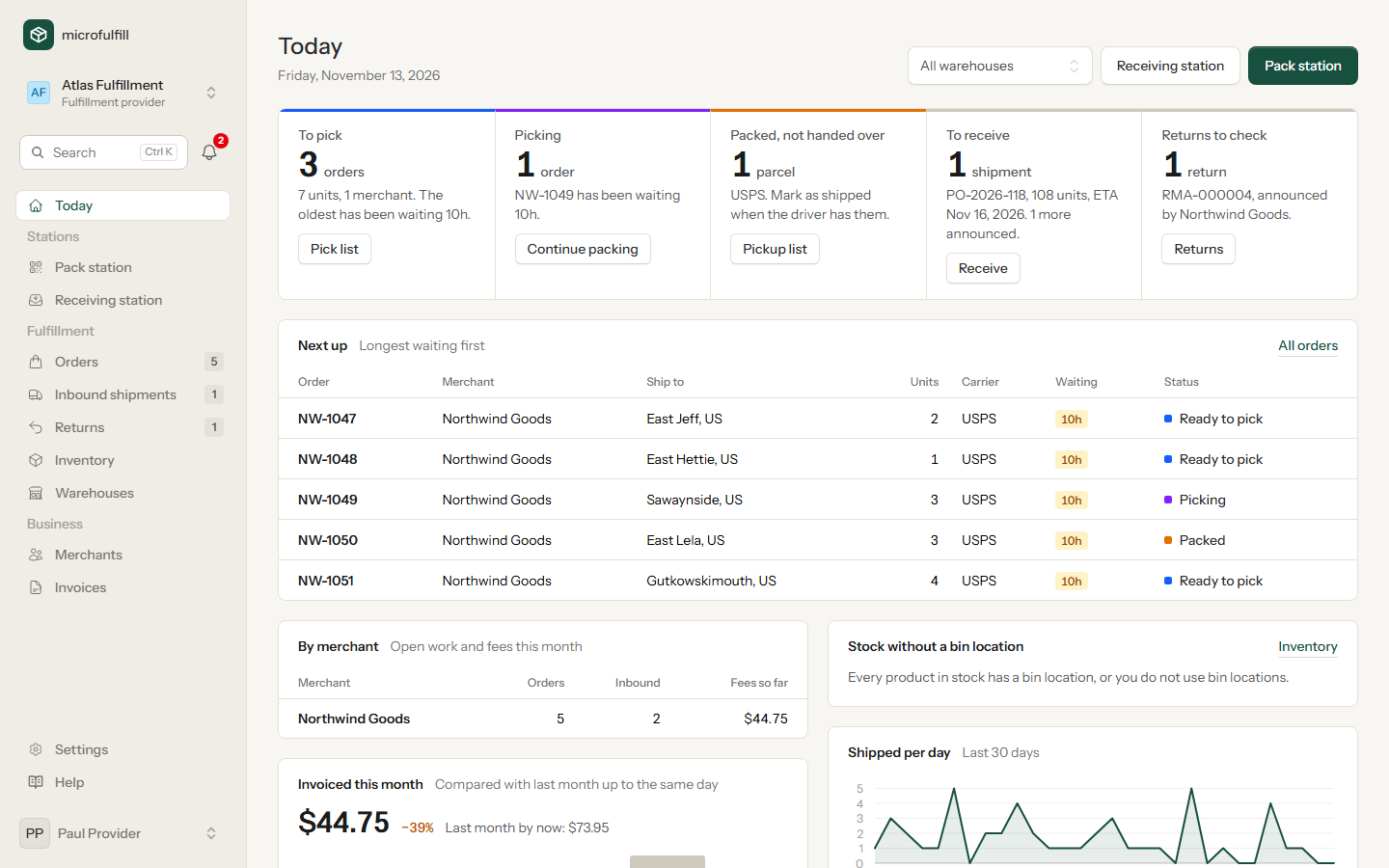
Every unit that arrives, ships, comes back or is corrected in a count is a recorded movement. Merchant and warehouse see the same numbers.
The merchant buys the shipping label, and that releases the order. The warehouse has it at once, with label, packing slip and bin locations.
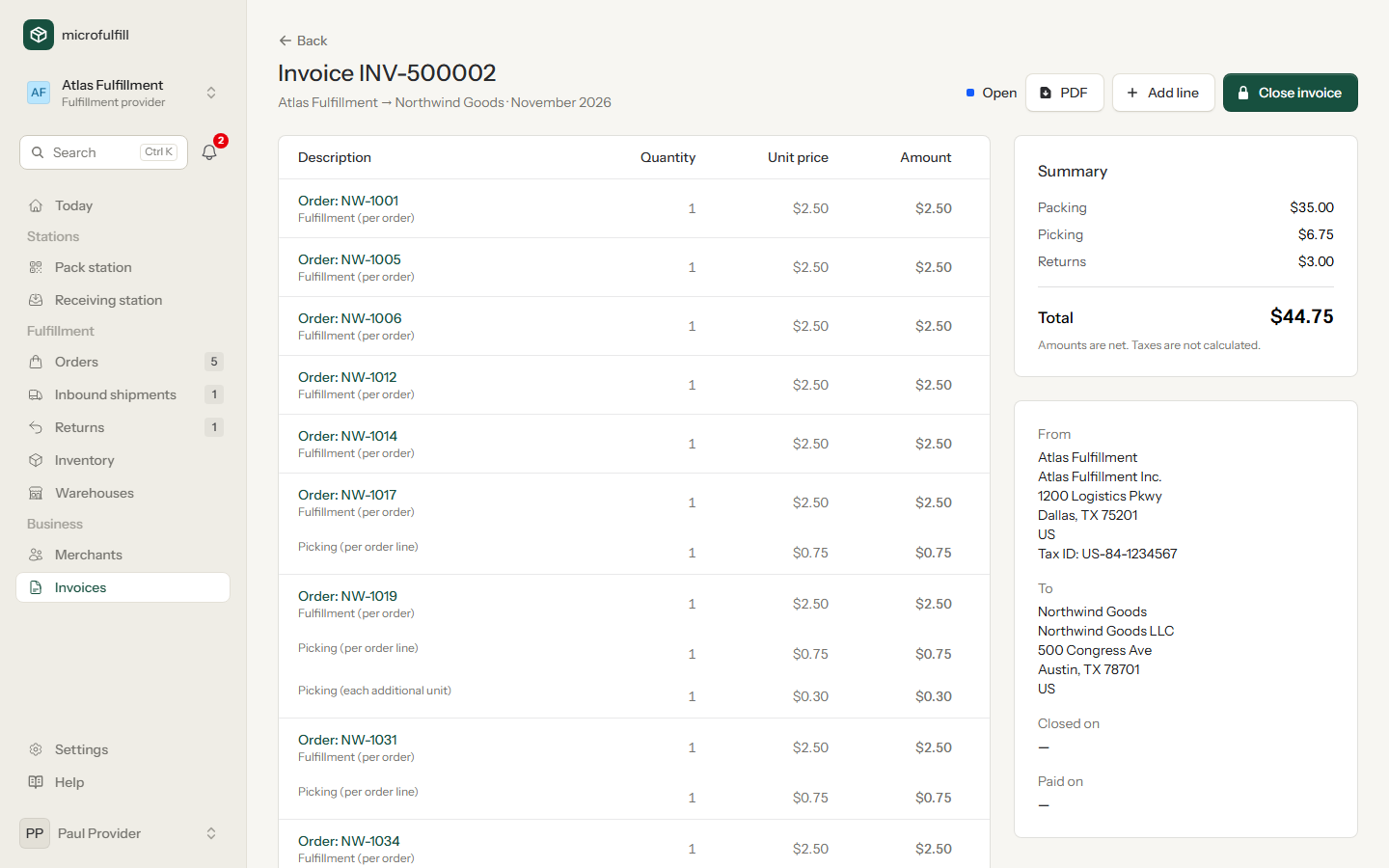
Fees are agreed once per partnership. Every shipped order and every received unit adds its line. Nobody counts parcels on the 1st.
How it works
Five steps from the first handshake to the invoice. Each side only does its own part.
| Merchant | Fulfillment provider | |
|---|---|---|
| 1Connect | Sends a request to the provider, or invites them by e-mail. | Accepts, and sets the fees for this merchant. |
| 2Send stock | Announces an inbound shipment with products, quantities and tracking number. | Scans the carton and counts the units. The stock is booked on receipt. |
| 3Order | Creates the order in the app or through the API, compares rates and buys the label. | Gets an e-mail. The order shows up as ready to pick. |
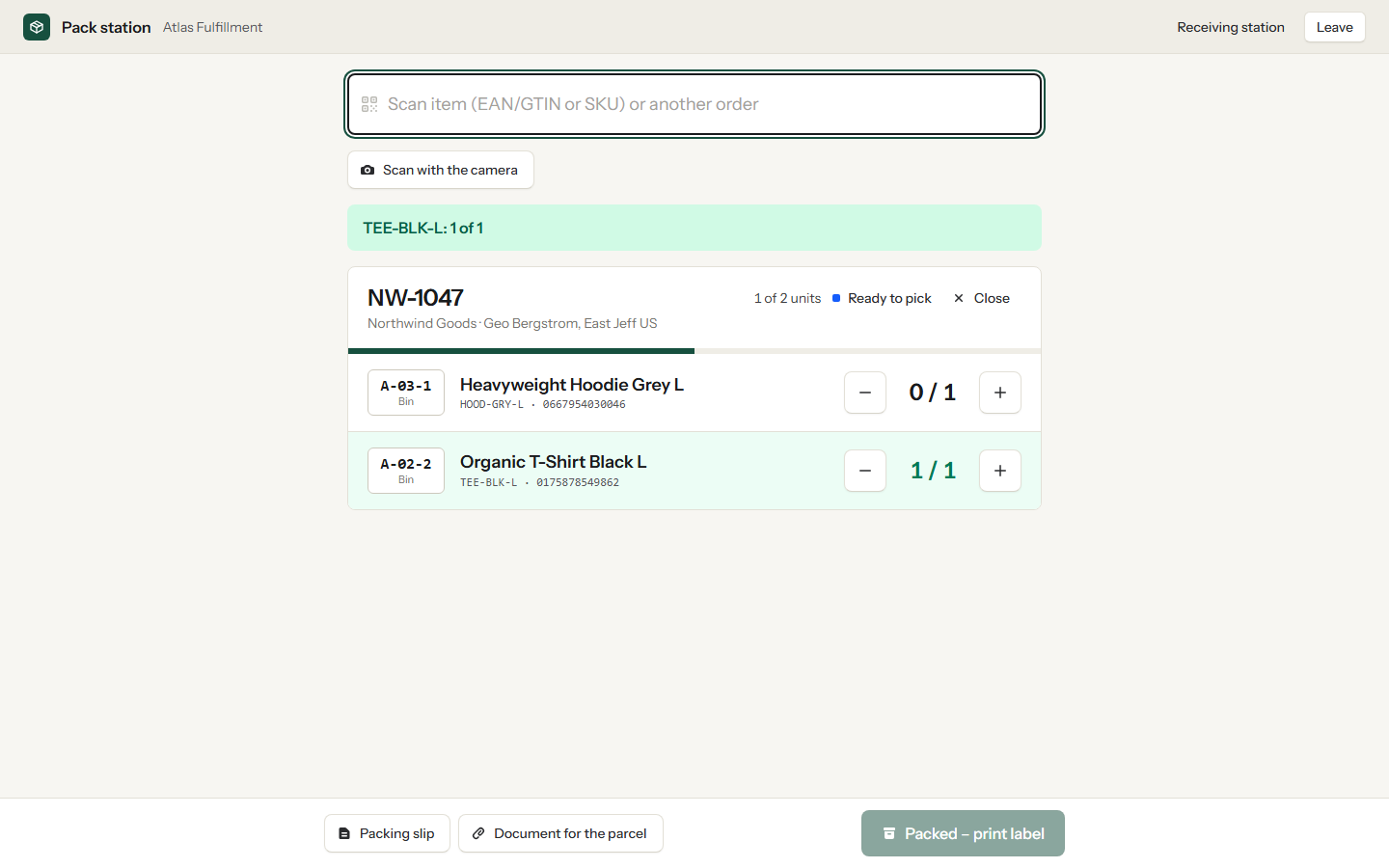
| 4Ship | Follows the status and the tracking number. | Prints the pick list, scans every item at the pack station, hands the parcel to the carrier. |
| 5Settle | Receives one invoice per provider and month, line by line. | Closes an invoice that is already filled in. |
On hand, reserved, available and incoming, for every warehouse. Underneath, every movement that led to those numbers, with date and person.
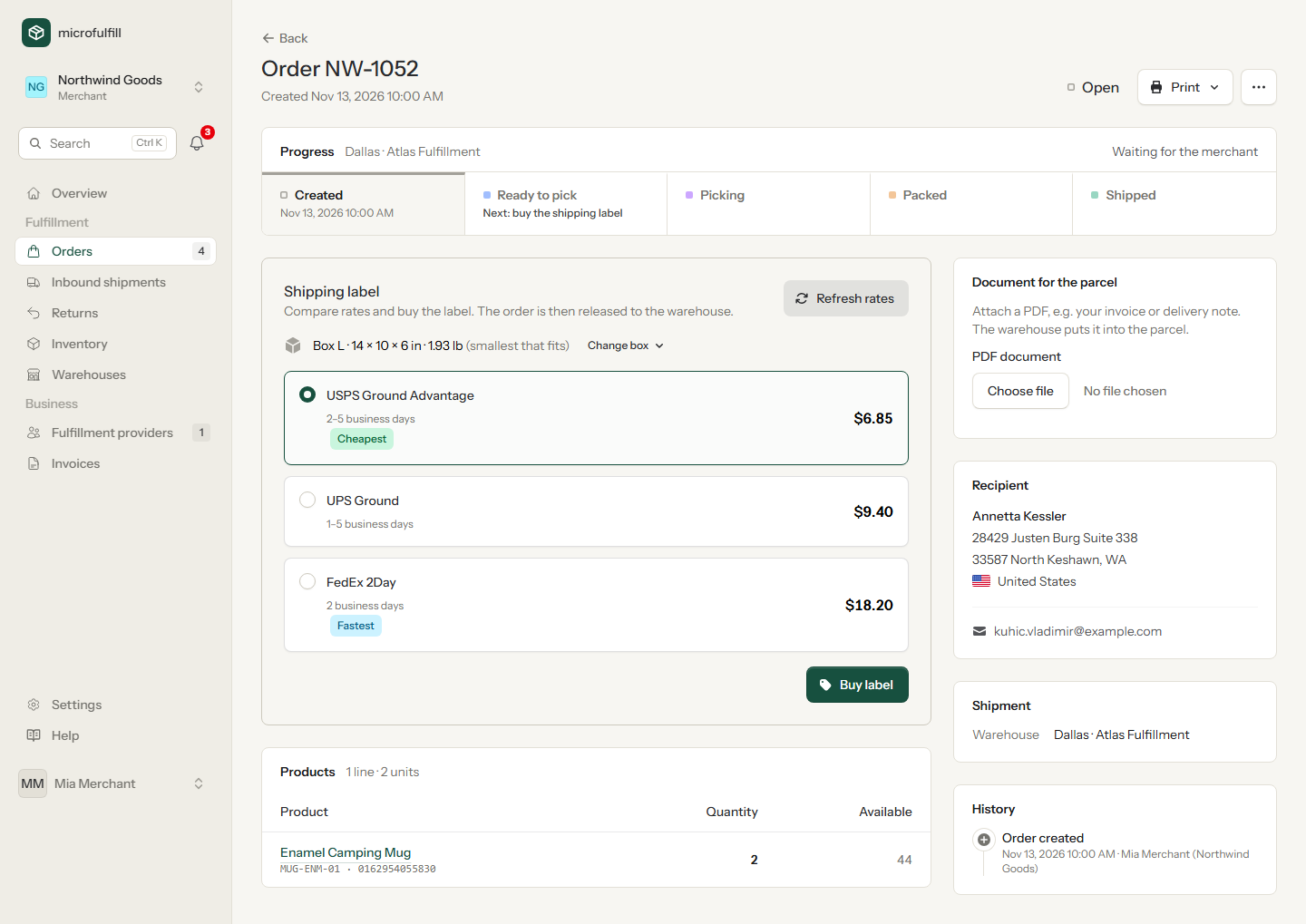
The rates come from your own carrier account. If an address turns out to be wrong, cancel the label, correct the order and buy a new one. The warehouse is told to swap it.
The pack station runs in the browser and works with any scanner that types like a keyboard. A wrong item is noticed before the box is closed.
Per order, order line, additional unit, received unit and return, plus storage by unit or by cubic metre. Each fee lands on the month's invoice the moment the work is done.
API and webhooks
Products, orders, labels, inbound shipments and returns are available through a documented REST API. Signed webhooks report back what the warehouse has done.
order.createdorder.label_purchasedorder.packedorder.shippedorder.cancelledinbound.receivedreturn.received# create an order, compare rates, buy the label POST /api/v1/orders GET /api/v1/orders/55/rates POST /api/v1/orders/55/label # later, at your webhook URL { "event": "order.shipped", "data": { "order": { "order_no": "NW-1052", "status": "shipped" } } }
Your merchants bring their orders with them. You get the order list, the scanning stations and the invoicing.
More answers are in the manual.
No. Enter their e-mail address when you request the partnership. They receive an invitation, register, and find your request waiting for them.
Yes, that is the point. Stock is kept per warehouse, and each provider only sees the stock and orders sent to its own warehouses. A provider can serve any number of merchants in the same way.
Labels are bought through your own Easyship account, with the carriers and rates you have there. Further label providers are planned.
The merchant by default, with their own carrier account. If the provider buys labels for a merchant, this is switched in the partnership.
No. The pack and receiving stations run in the browser. Any barcode scanner that behaves like a keyboard works, and you can also type the codes.
English and German. Each user chooses their own language.
Create an account, add a product, and invite your fulfillment provider or your first merchant. The manual walks you through it.