microfulfill

For merchants

One inventory, however many warehouses ship for you.

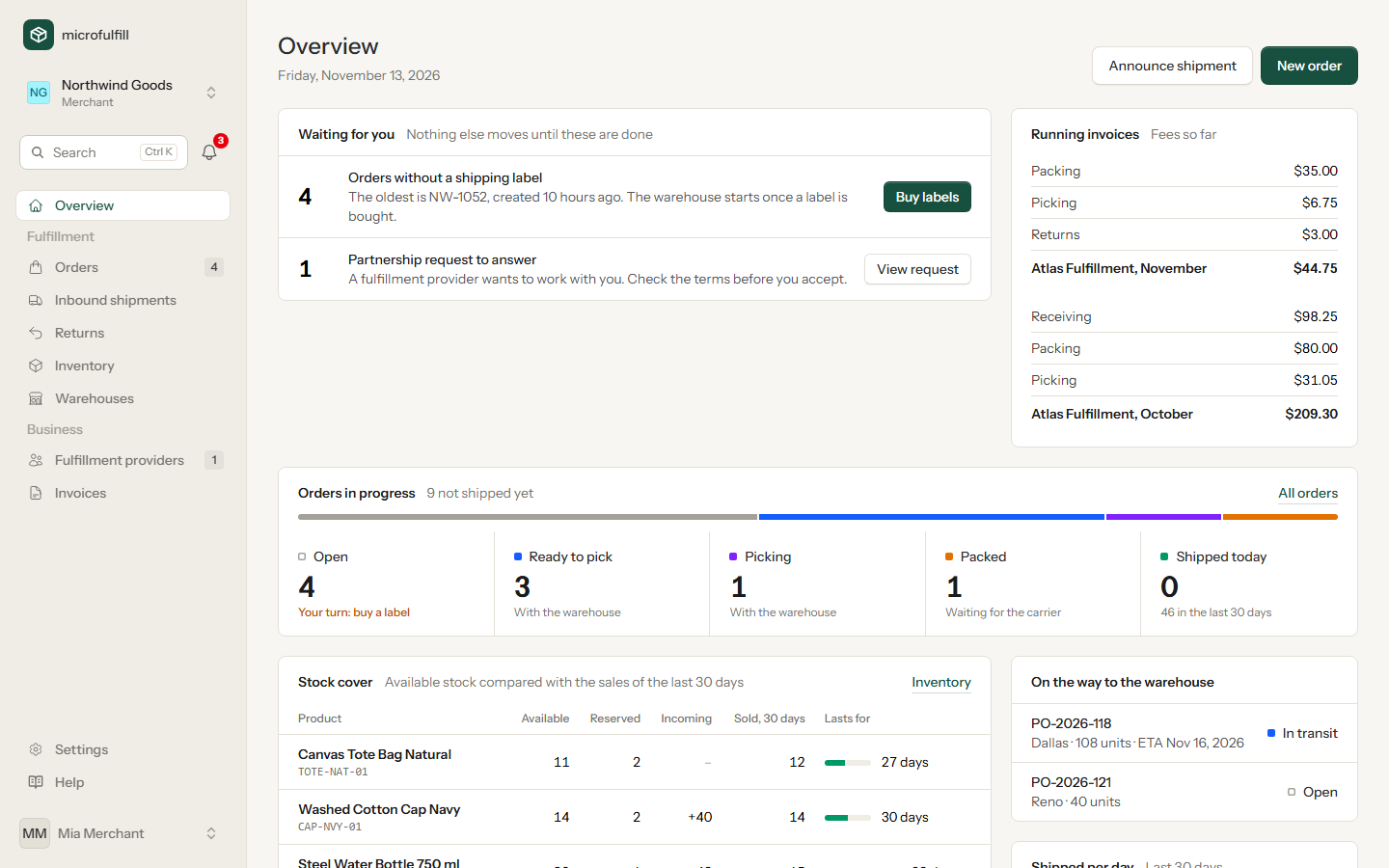
Work with one fulfillment provider per region, add a second one for the peak season, or change providers without rebuilding your processes.

Merchant dashboard with orders waiting for a label, shipped orders of the last 30 days, open invoices and incoming stock

You always know what is where

You create a product once. Its stock is kept per warehouse, and every change is written down.

  • On hand, reserved, available, incoming for each warehouse
  • Stock movements for every receipt, shipment, return and count
  • Low-stock e-mail each morning for products below your threshold
  • Customs data, weight and dimensions on the product
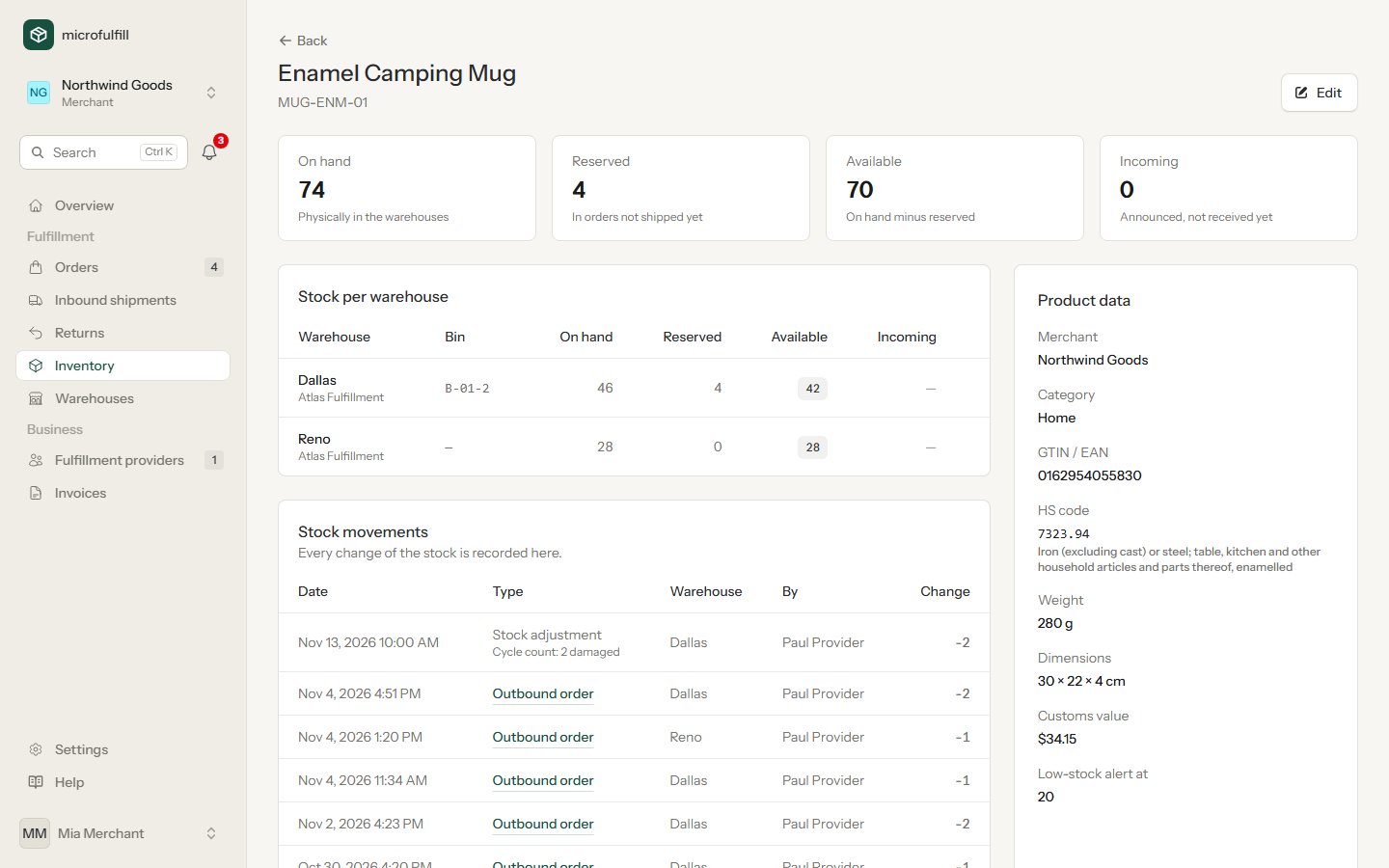
Product page with stock per warehouse and stock movements
Stock of one product in Dallas and Reno, with the movements below.

Tell the warehouse what is coming

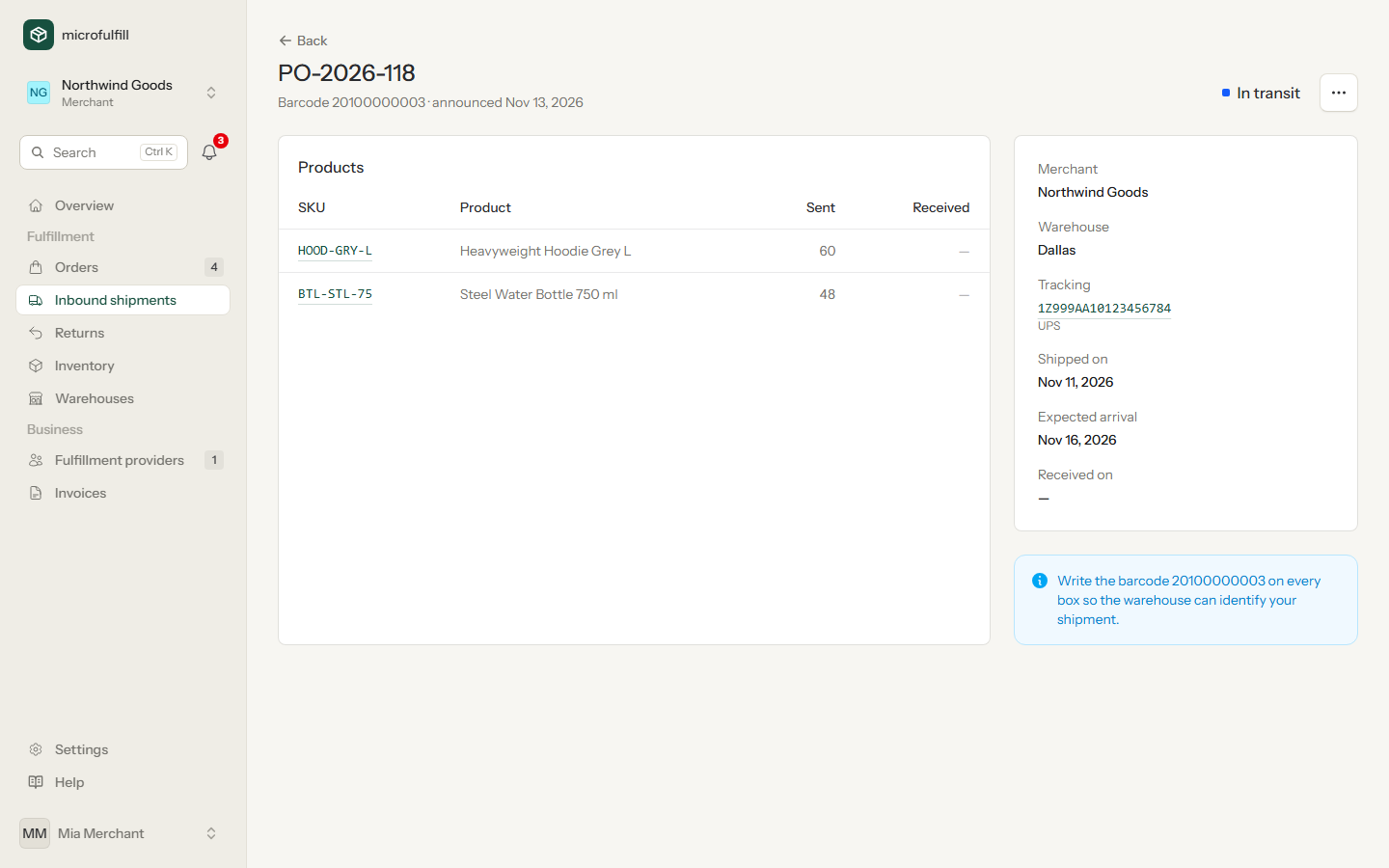
An inbound shipment lists the products and quantities you are sending. Until it arrives, the units count as incoming.

  • Carrier and tracking number once the shipment is on its way
  • A barcode for the cartons, which the warehouse scans on arrival
  • Counted quantities: you see what was actually received
Inbound shipment with products, quantities and tracking
An inbound shipment in transit to the warehouse.

From order to label in one page

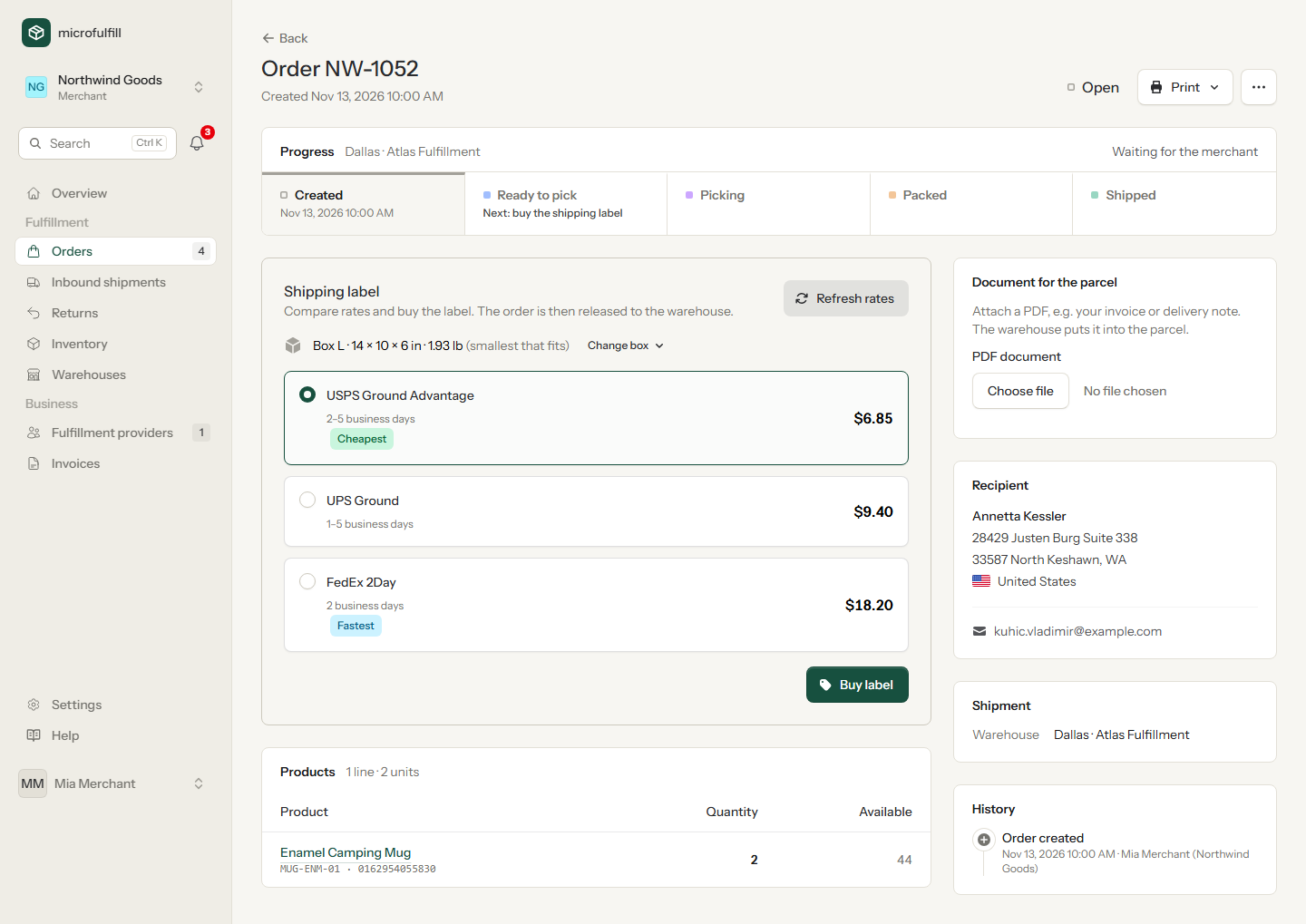
Create orders by hand or let your shop system send them. You choose the rate; buying the label hands the order to the warehouse.

  • Stock warning if an order needs more than is available
  • Cheapest and fastest rate marked
  • Changes until it ships: cancel the label or the whole order
  • Your own PDF, an invoice or delivery note, goes into the parcel
  • History of every step, with person and time
Order page with shipping rates of three carriers
Rates for an order that ships from Dallas.

Several providers, clearly separated

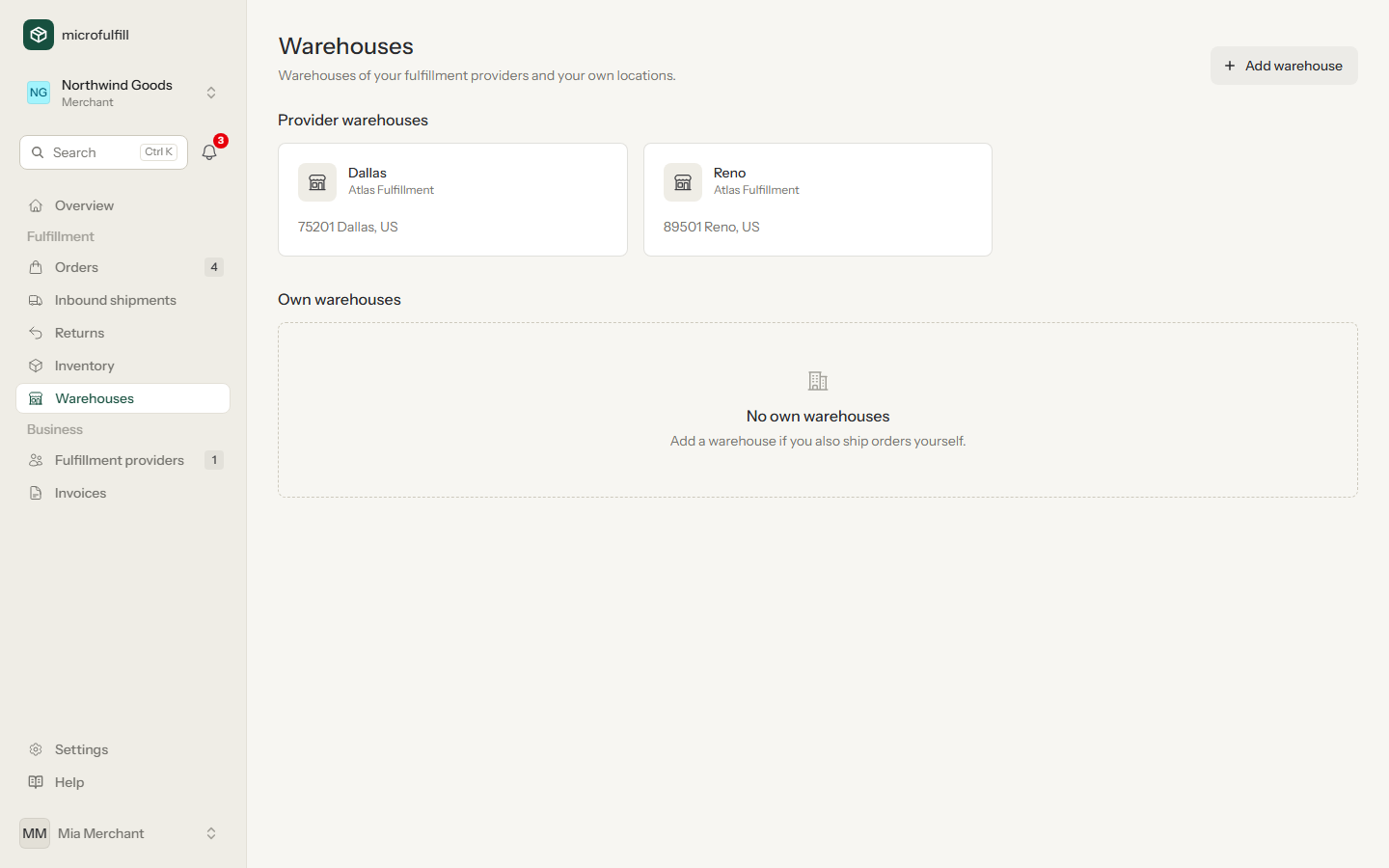
You see the warehouses of every provider you have a partnership with. Each provider sees only what you send to their own warehouses.

  • One partnership per provider, with its own fees
  • Choose the warehouse for each order and inbound shipment
  • End a partnership without losing your products or history
List of the warehouses of a merchant's fulfillment providers
The warehouses a merchant can ship from.

Also part of it

Returns

Announce a return, directly from the shipped order if you like. The warehouse inspects it and reports how many units went back into stock.

Ship again

A parcel came back as undeliverable? The warehouse registers it, you get an e-mail and send the order again with the address corrected.

Invoices

One invoice per provider and month with every fee line, also as a PDF. Open invoices are on your dashboard.

Team

Invite colleagues by e-mail. Everyone has their own login and language.

Sign-in

Passkeys and two-factor authentication. Credentials of your carrier account are stored encrypted.

English and German

The app, the e-mails and the manual are available in both languages.

API and webhooks

Connect your shop system

Products, orders, labels, inbound shipments and returns are also available through the REST API. With webhooks your system learns about shipped orders, received inbound shipments and returns without asking.

order.createdorder.label_purchasedorder.packedorder.shippedorder.cancelledinbound.receivedreturn.received
# create an order, compare rates, buy the label
POST   /api/v1/orders
GET    /api/v1/orders/55/rates
POST   /api/v1/orders/55/label

# later, at your webhook URL
{
  "event": "order.shipped",
  "data": {
    "order": { "order_no": "NW-1052", "status": "shipped" }
  }
}

Your provider is not on microfulfill yet?

Enter their e-mail address. They get an invitation, register for free and find your partnership request waiting.

Add your first product today.

Create an account, add a product and connect with your fulfillment provider.