microfulfill

For fulfillment providers

The order list, the scanner and the invoice in one place.

microfulfill gives 3PL warehouses the tools for the daily work on the floor and takes the monthly invoicing off your desk. Free for fulfillment providers.

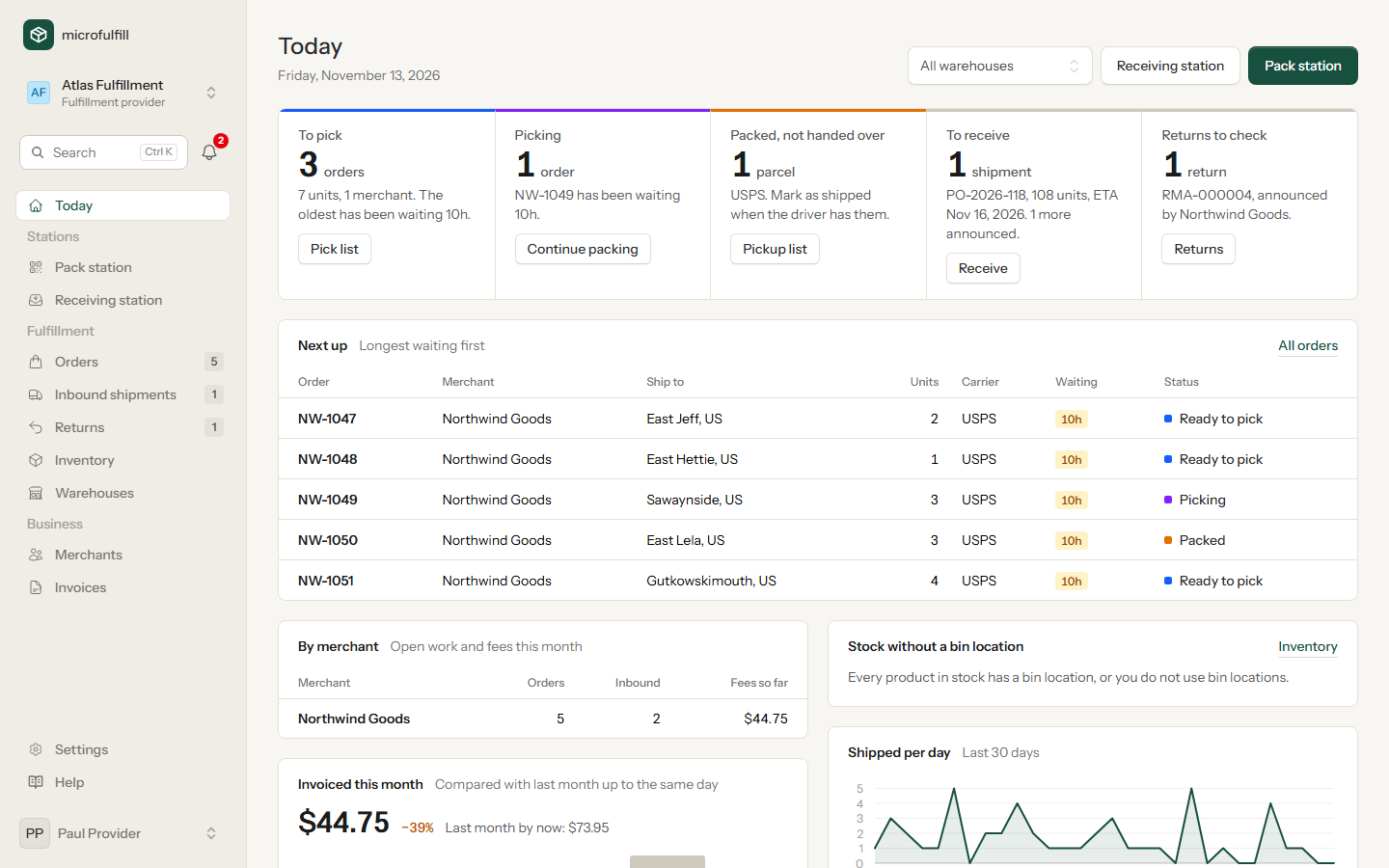
Provider dashboard with orders to ship, expected inbound shipments and returns

Everything to ship today, for all merchants

Orders arrive with the label already bought. You filter, select and work through them in batches.

  • Pick lists for the selected orders, sorted by bin location
  • Packing slips and labels in one print job
  • Mark as packed or shipped for many orders at once
  • Pickup list per carrier, with a line for the driver's signature
  • E-mail when an order is ready, changed or cancelled
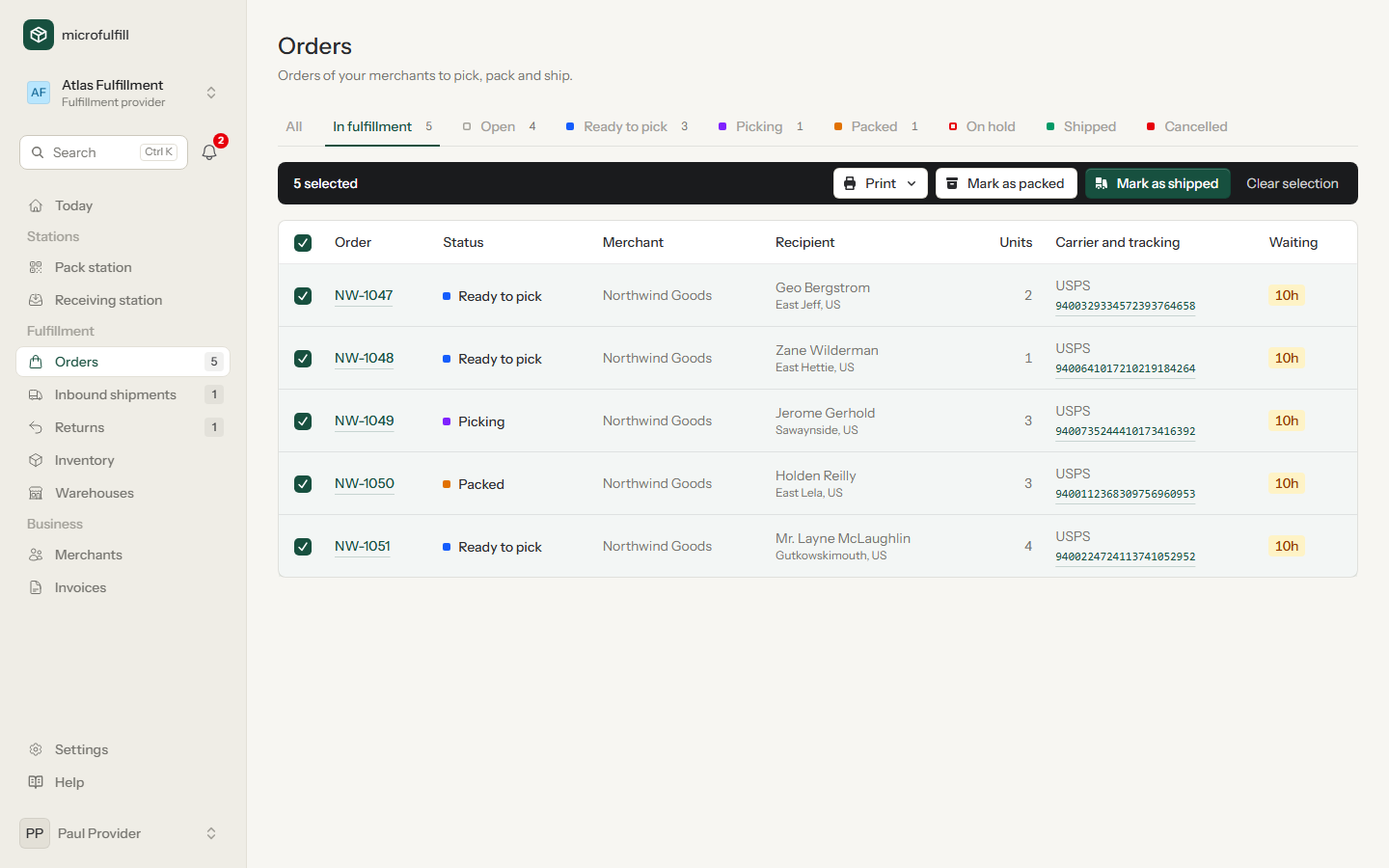
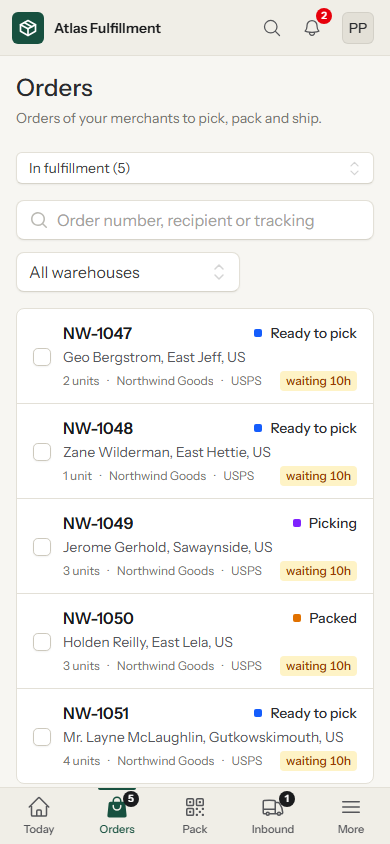
Order list of a fulfillment provider with selected orders and bulk actions
Orders in fulfillment, selected for printing. In front: the same list on a phone.

Pack with a scanner

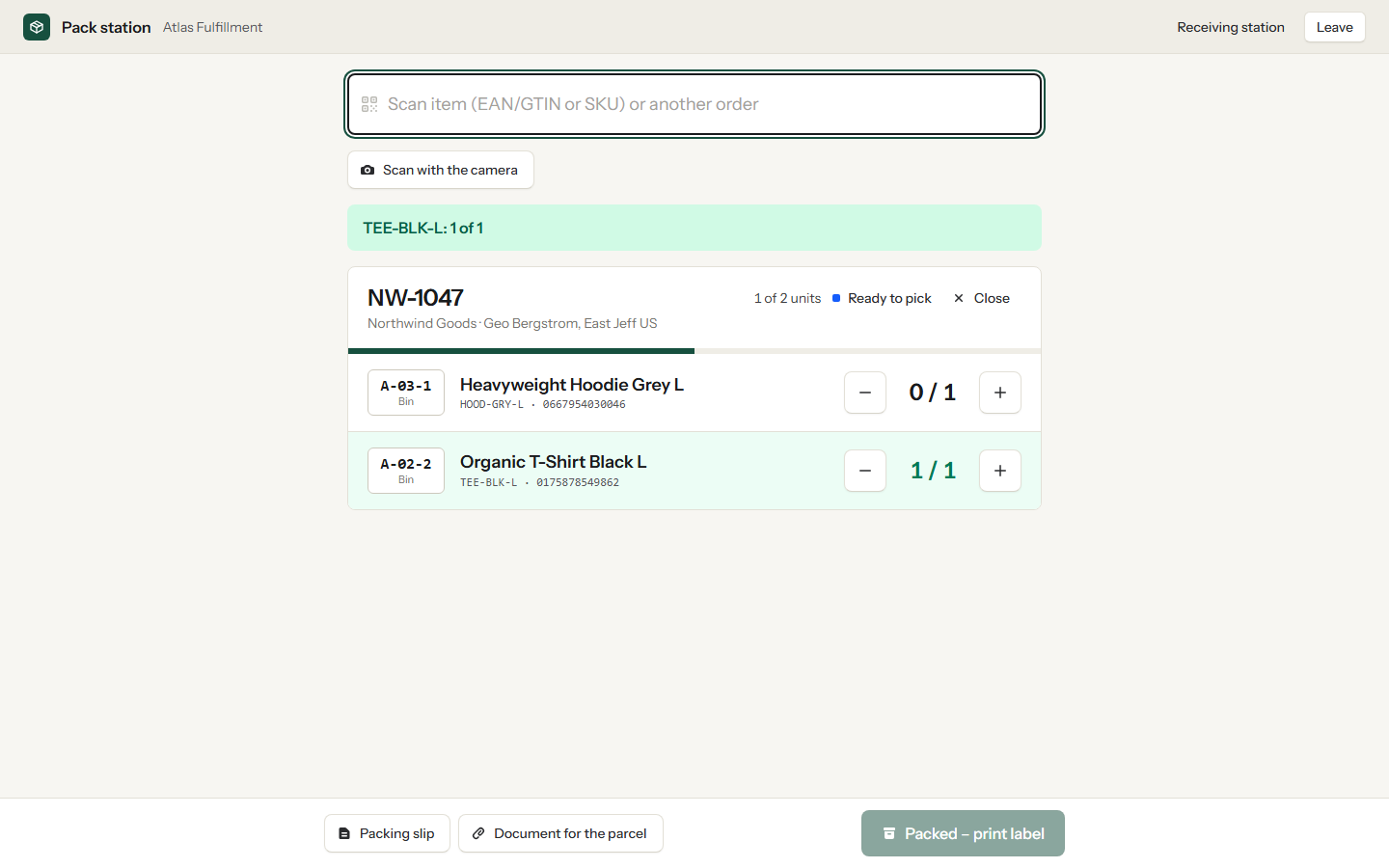
Scan the order number, then every item. The pack station counts along and shows the bin of each product.

  • GTIN or SKU, upper or lower case
  • The merchant's document for the parcel is one click away
  • Packed, print label when everything is in the box
  • No installation: a browser and a keyboard scanner are enough
Pack station with an order and its scanned items
An order at the pack station: scanned items turn green.

Receive cartons by barcode

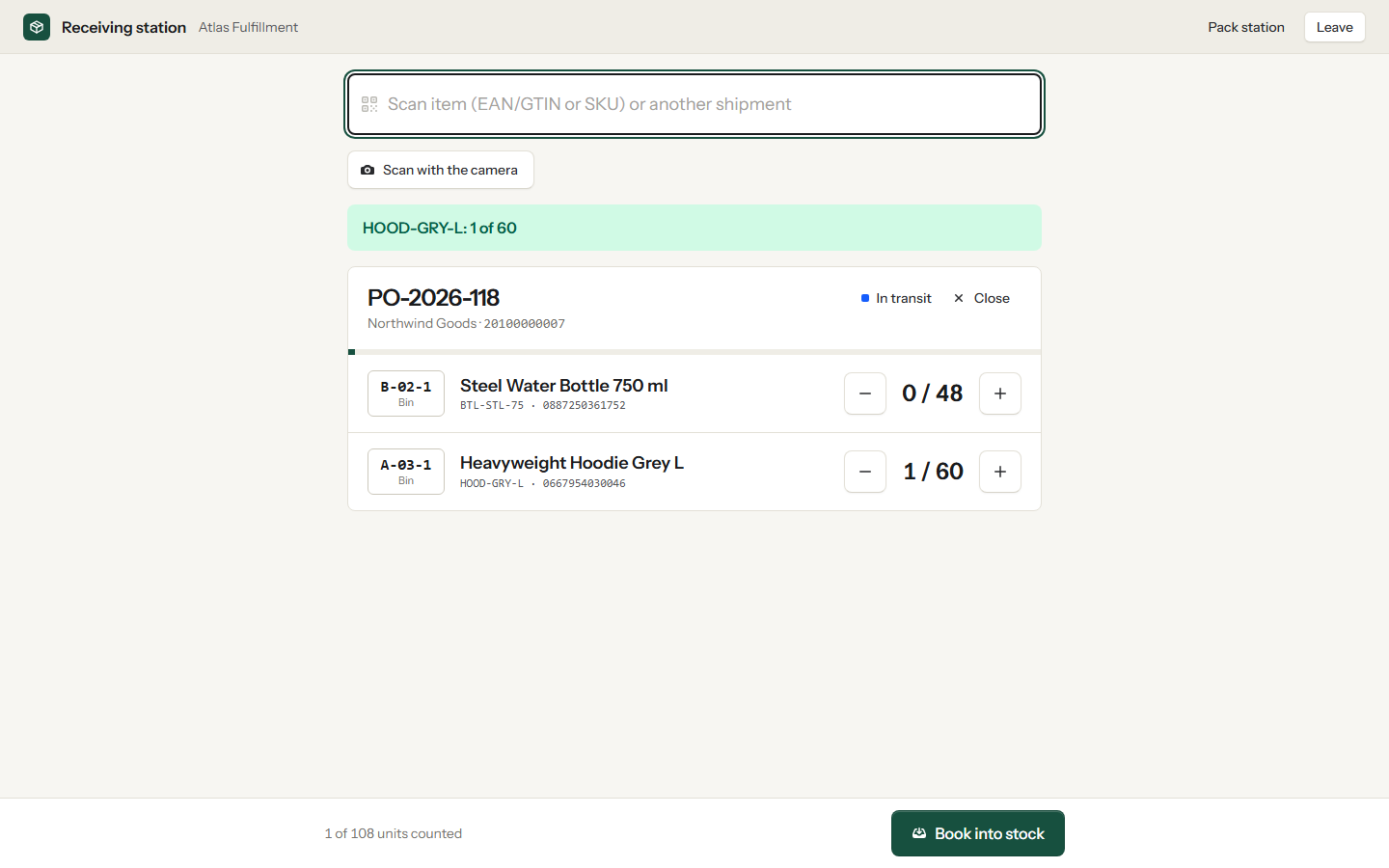
Merchants announce what they send. At the receiving station you find the shipment by its barcode, reference or tracking number and count by scanning.

  • Announced and counted quantities side by side
  • Over-deliveries are allowed and visible to the merchant
  • Stock and receiving fee are booked when you confirm
Receiving station with an inbound shipment being counted
Counting an inbound shipment at the receiving station.

Stock counts and bin locations

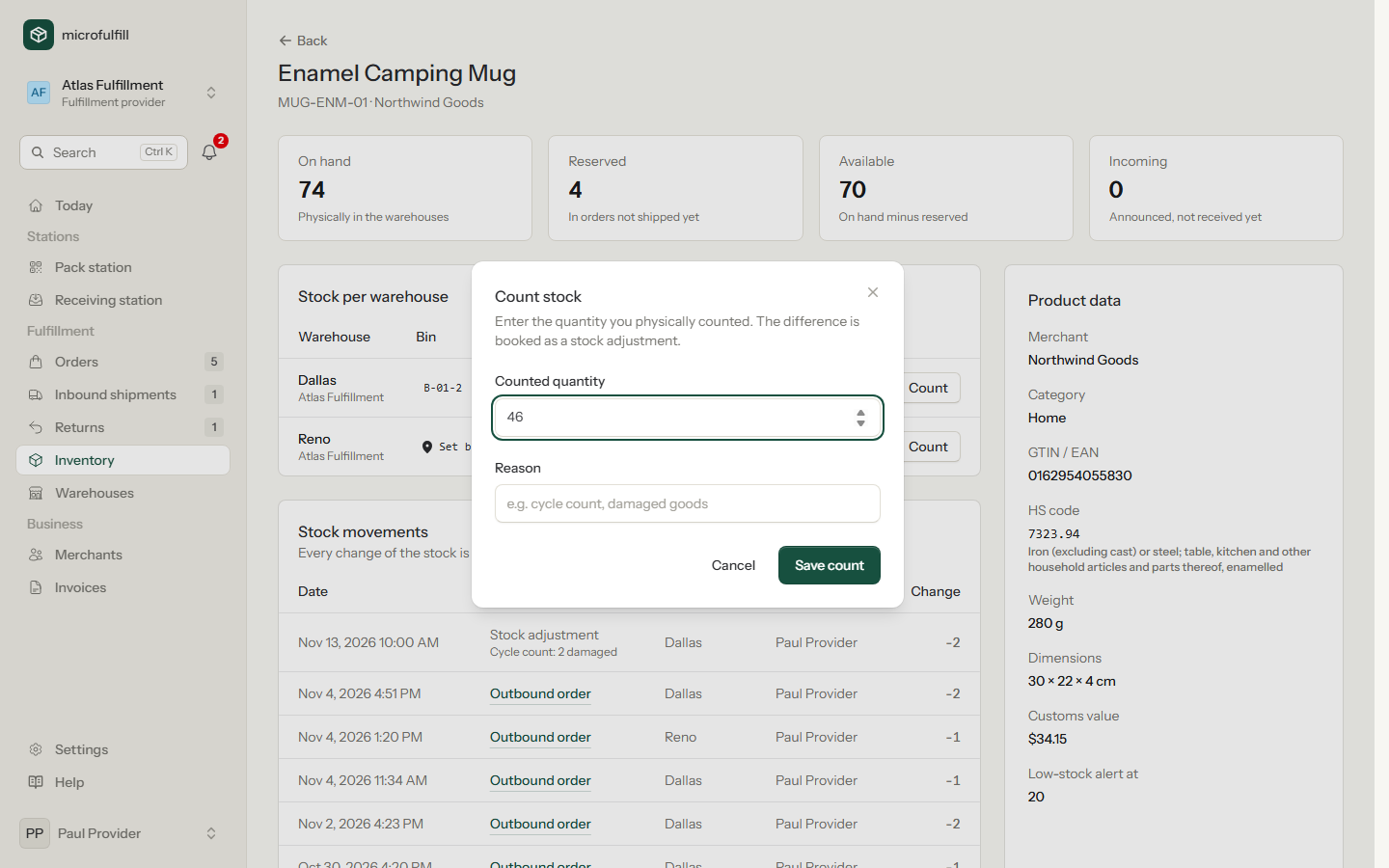
If the shelf says something else than the system, you correct it, with a reason the merchant can read.

  • Stock count per product and warehouse
  • One bin location per product and warehouse
  • Pick lists follow the order of the bins
Dialog for counting the stock of a product in a warehouse
A stock count with the reason for the difference.

Returns, announced or not

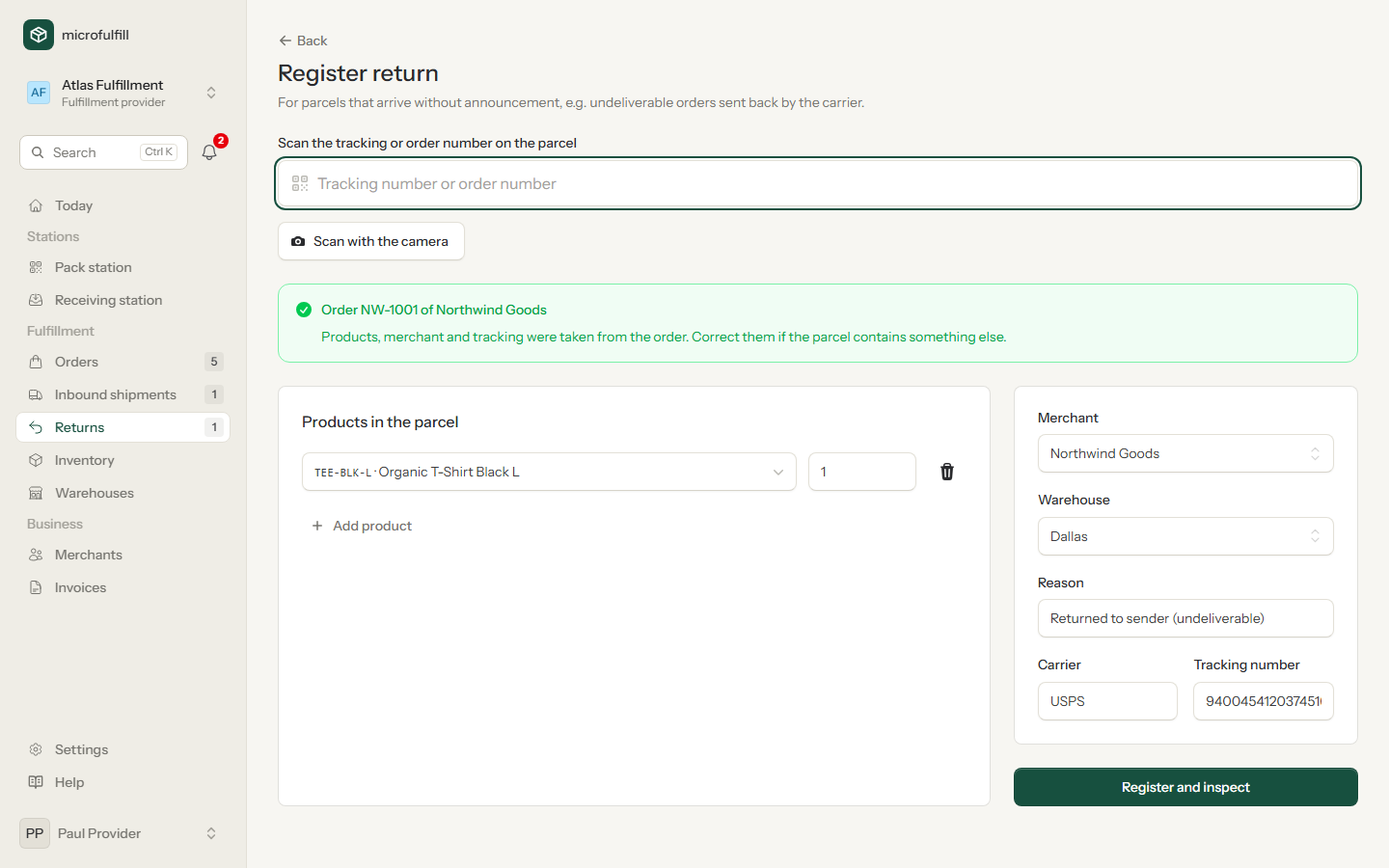
A parcel is back at your dock without notice. Scan the tracking number; microfulfill finds the order and the merchant.

  • Announced returns appear with their RMA number
  • Inspect and decide how many units go back into stock
  • The merchant is informed and can ship again
  • Return fee charged once per return
Registering an unannounced return by tracking number
An unannounced return, found by its tracking number.

Fees and invoices

Set the fees once. The invoice follows.

Each merchant has their own fee schedule. New partnerships start with your default fees.

An example schedule
Per orderincludes the first order line3.00
Per further order line0.75
Each additional unit0.30
What three orders cost with it
1 T-shirt3.00
2 T-shirts3.00 + one additional unit3.30
1 T-shirt and 1 mug3.00 + one further line3.75

Close the month in a minute

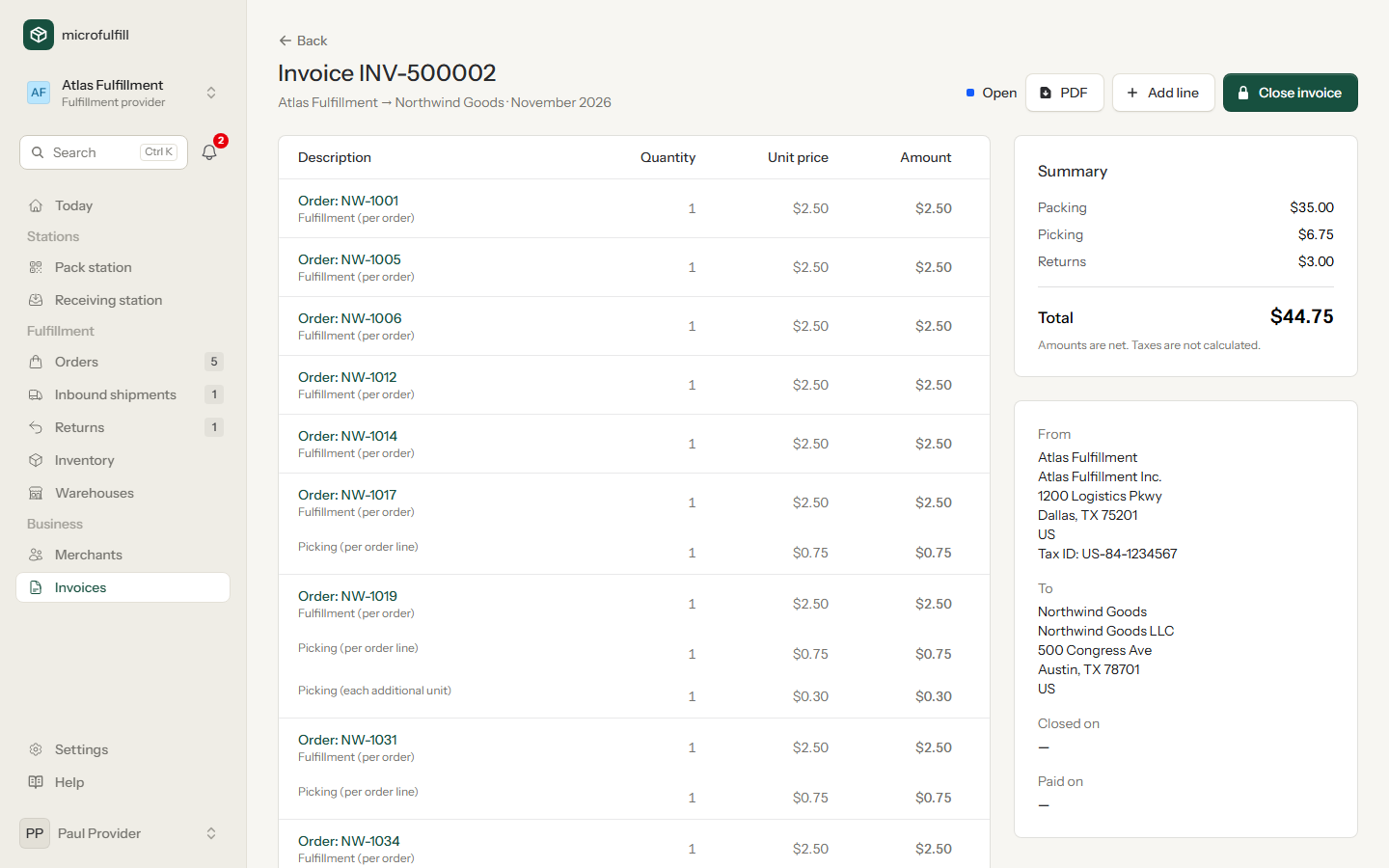
The invoice for each merchant is open all month and collects its lines by itself. At the end you check it, close it and send the PDF.

  • Order fees when an order ships, nothing for cancelled orders
  • Receiving and return fees when the goods are booked
  • Storage per unit or per m³, averaged over daily snapshots
  • Manual lines for everything else
  • Paid status per invoice
Monthly invoice with fee lines per order
The open invoice of a merchant for the current month.

Also part of it

Your merchants

Connect with merchants who are already on microfulfill, or invite them by e-mail. You only see the stock and orders they send to you.

Several warehouses

Stock, orders and bin locations are kept per location. Each warehouse has its own contact for notifications.

Who buys the label

Usually the merchant, with their own carrier account. If you buy labels for a merchant, switch it in the partnership.

Order history

Every step of an order is recorded with person and time. Useful when a merchant asks what happened.

Team and sign-in

Invite your staff by e-mail. Passkeys and two-factor authentication are supported.

API and webhooks

Your merchants can connect their shop systems, and your own systems can be notified about new orders as well.

Questions from warehouses

More answers are in the manual.

What does microfulfill cost a fulfillment provider?

Nothing. Fulfillment providers use microfulfill for free.

How do my merchants get onto the platform?

Request a partnership with their e-mail address. If they have no account yet, they receive an invitation and register as a merchant. After that you set their fees.

What do I see of my merchants' data?

The products, stock and orders that concern your own warehouses. Stock at other providers stays invisible to you, and other providers do not see yours.

Which scanners work?

Any barcode scanner that behaves like a keyboard, wired or Bluetooth. Codes can also be typed by hand.

Can I change the fees later?

Yes. Changed fees apply to orders shipped afterwards. What has already been charged stays as it is.

Set up your warehouse and invite your first merchant.

Registration takes a few minutes. The manual explains every screen.